Three apps. One platform.
The A-Trip ecosystem runs on three purpose-built mobile applications — one for vehicle owners, one for drivers, and one for passengers. Each app is designed for its specific user, connected behind the scenes on the same Adiamat platform.
Available Apps
A-Trip mobile ecosystem
A-Trip Owner
Onboard your vehicle, add drivers, and manage earnings.
A-Trip Driver
Receive job assignments, navigate routes, submit logsheets.
A-Trip Passenger
Book rides, track your driver, and manage trip history.
How the A-Trip Owner App Works
A step-by-step guide for vehicle owners — from downloading the app to getting your driver linked and jobs flowing in.
Download the A-Trip Owner App
The vehicle owner downloads the A-Trip Owner app from the Google Play Store or Apple App Store. Search for 'Atrip Owner' and look for the app by Adiamat. It's free to download on both platforms.
Make sure you download the Owner app, not the Driver or Passenger app. The publisher name is "Adiamat".
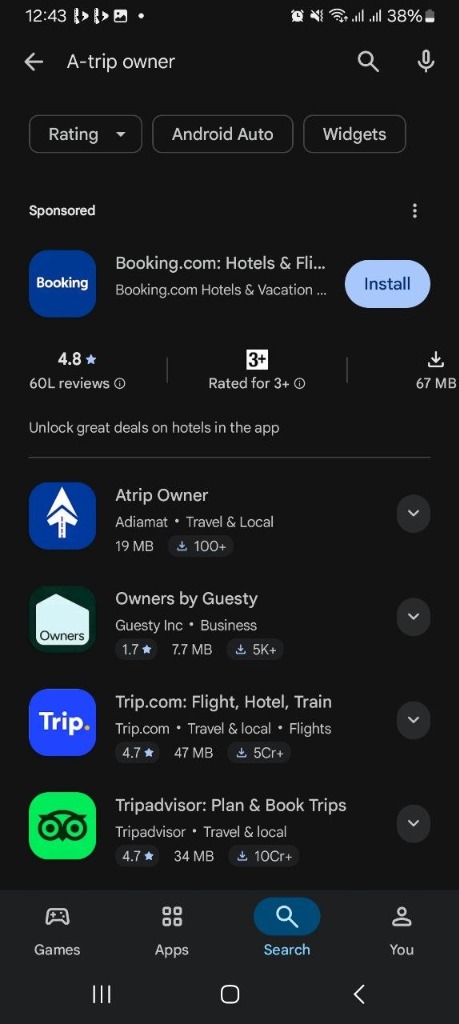
Search in Google Play Store
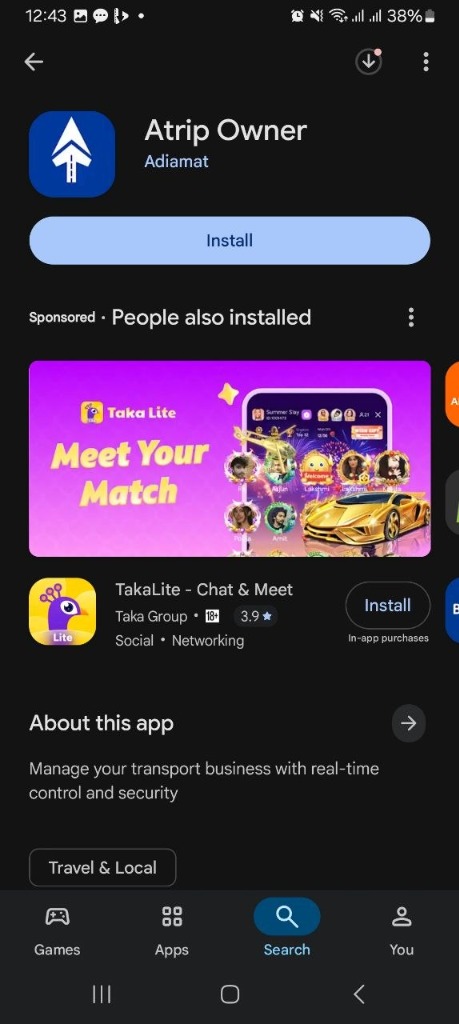
Tap Install on the listing
Sign In with Your Phone Number
Open the app and enter your Ethiopian phone number (+251). A 6-digit one-time password (OTP) will be sent to your number via SMS. Enter the code to verify your identity and access your account.
The OTP expires in 60 seconds. If you don't receive it, tap "Resend" to get a new code.
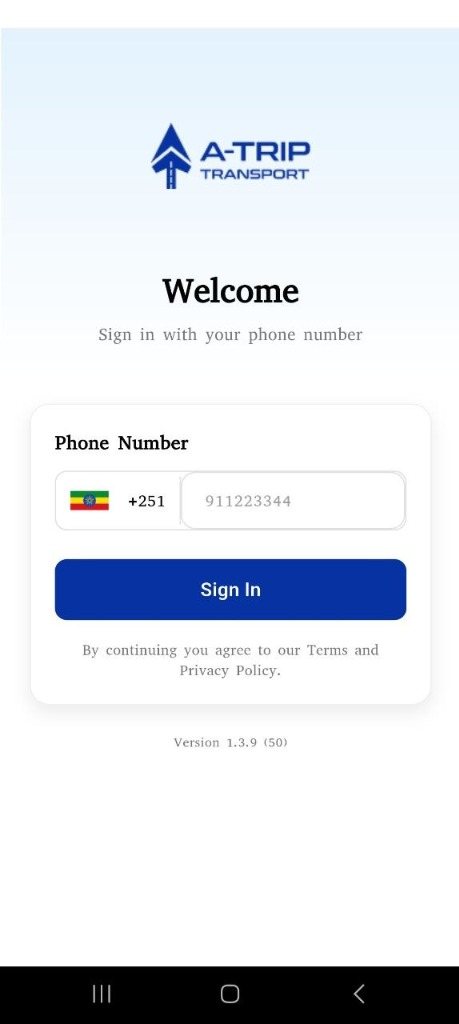
Enter your phone number
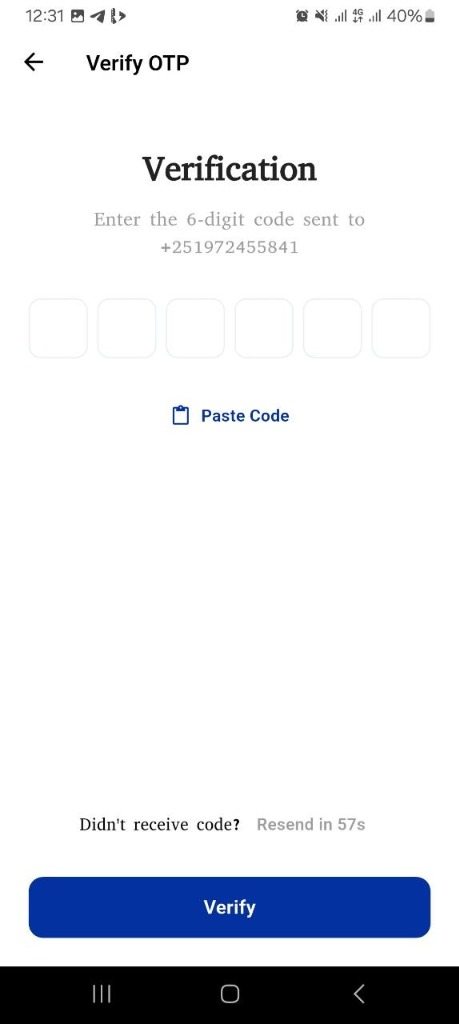
Verify with the SMS code
Add Your Vehicle Details & Documents
After signing in, tap Add Vehicle from the dashboard. Fill in the vehicle information and upload the required photos and documents — exterior photos, interior photos, vehicle license (Libre), and third-party insurance. All photo uploads accept JPG, PNG, or PDF formats.
Exterior and interior photos are optional but help speed up the Adiamat review process. Documents like the vehicle license (Libre) and insurance are recommended for faster approval.
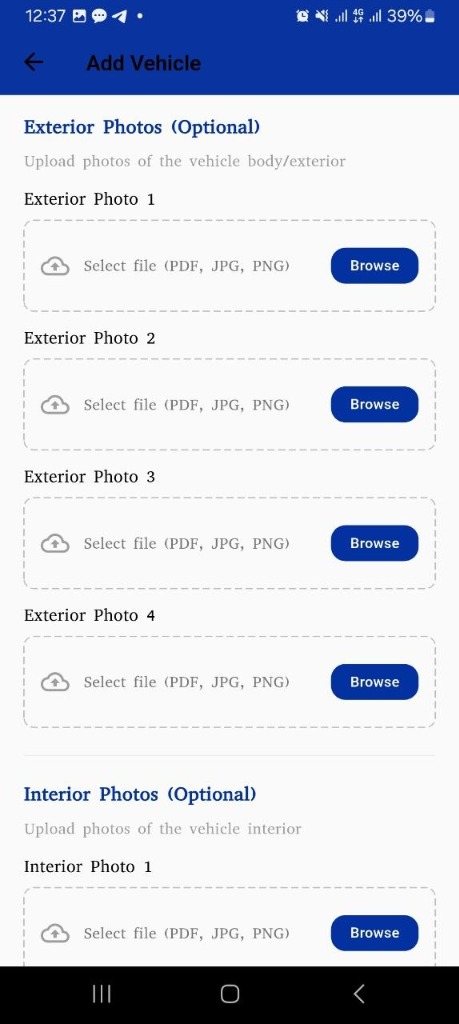
Upload exterior photos
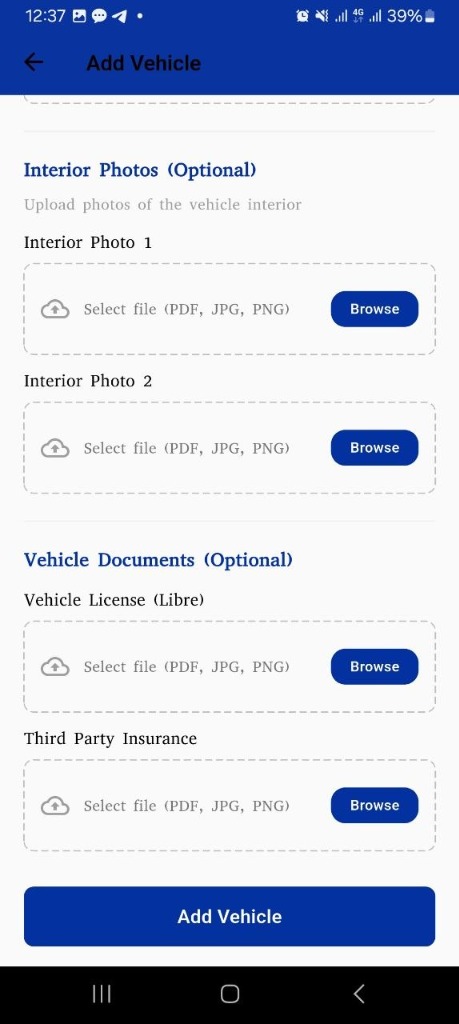
Upload documents & submit
Adiamat Reviews Your Vehicle Request
Your vehicle submission is sent to the Adiamat operations team for review. A team member will inspect the submitted details and documents, then either approve the vehicle or reach out for corrections. You will be notified in the app once a decision is made.
Reviews are typically completed within 1–2 business days. Make sure your contact number is active so Adiamat can reach you if needed.
Screenshots coming soon
This step will be illustrated in the next update
Add a Driver to Your Vehicle
Once your vehicle is approved, go to Quick Actions on the dashboard and tap Add Driver. Enter the driver's full name and Ethiopian phone number. You can also upload their driving license. The driver will receive an invitation to connect their A-Trip Driver app account.
If you are both the owner and the driver, you can add yourself. The driver must have the A-Trip Driver app installed to accept the invitation.
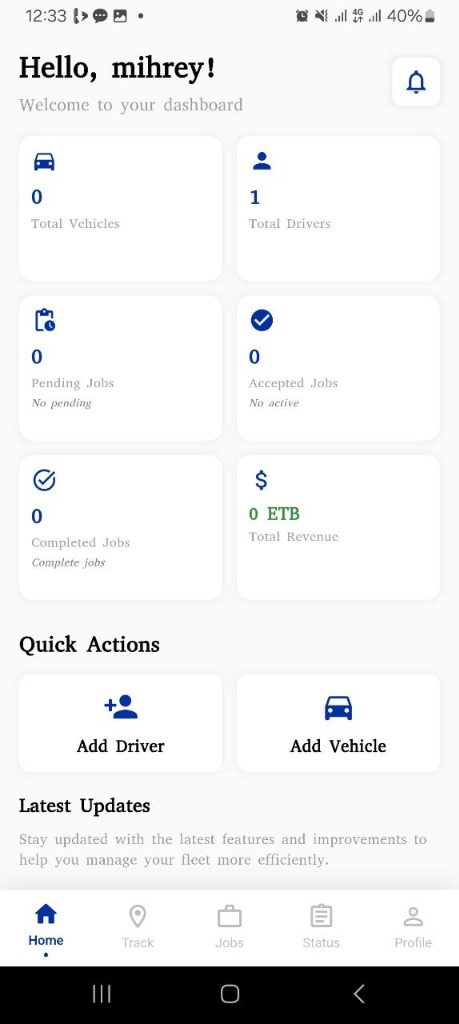
Dashboard overview
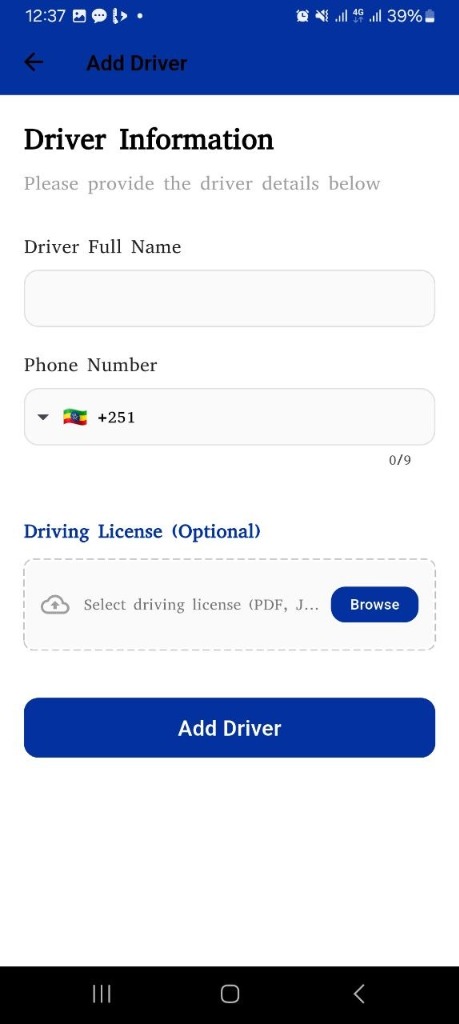
Add Driver form
Start Receiving Job Assignments
Once the driver links their account, they are ready to receive jobs. All job assignments are managed centrally by the Adiamat platform. The driver can view pending, in-progress, and completed jobs directly in the A-Trip Driver app — no manual coordination needed.
As the owner, you can monitor all jobs, driver activity, and revenue from your dashboard in real time.
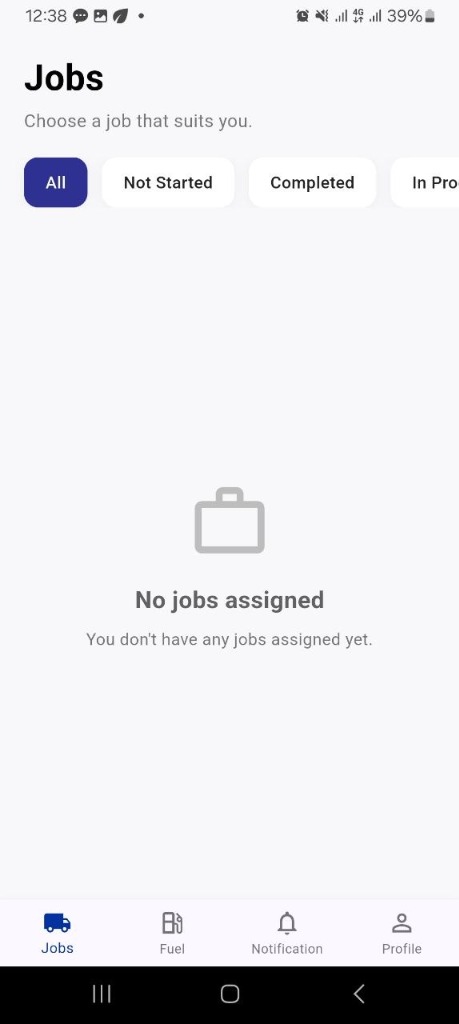
Driver jobs screen
You're all set!
Once your driver accepts the invitation, they are fully linked to your vehicle. The Adiamat platform will start assigning jobs automatically — you can monitor everything from the Owner dashboard in real time.
A-Trip Driver App
Documentation for the Driver app will be added here in the next update.
A-Trip Passenger App
Documentation for the Passenger app will be added here in the next update.